Pages
The Pages section allows users to upload and manage custom web pages within a Workspace. Pages can be created from a ZIP package containing the HTML and supporting files for a website. XRHub automatically generates a unique route when the Page is uploaded.
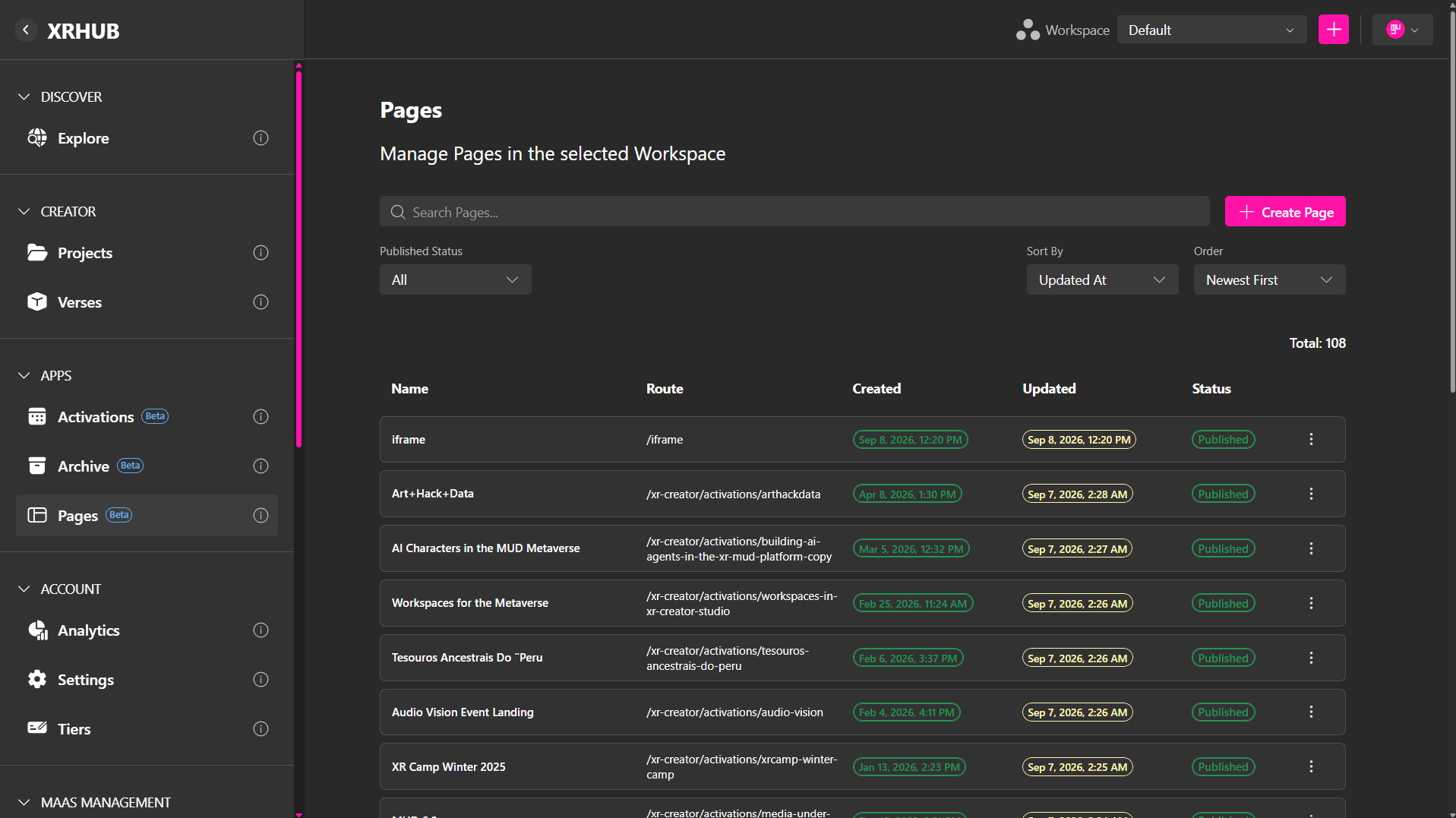
The Pages dashboard displays the Pages created in the currently selected Workspace.
Uploading a New Page
To create a Page:
- Open Pages in the selected Workspace.
- Click Create Page.
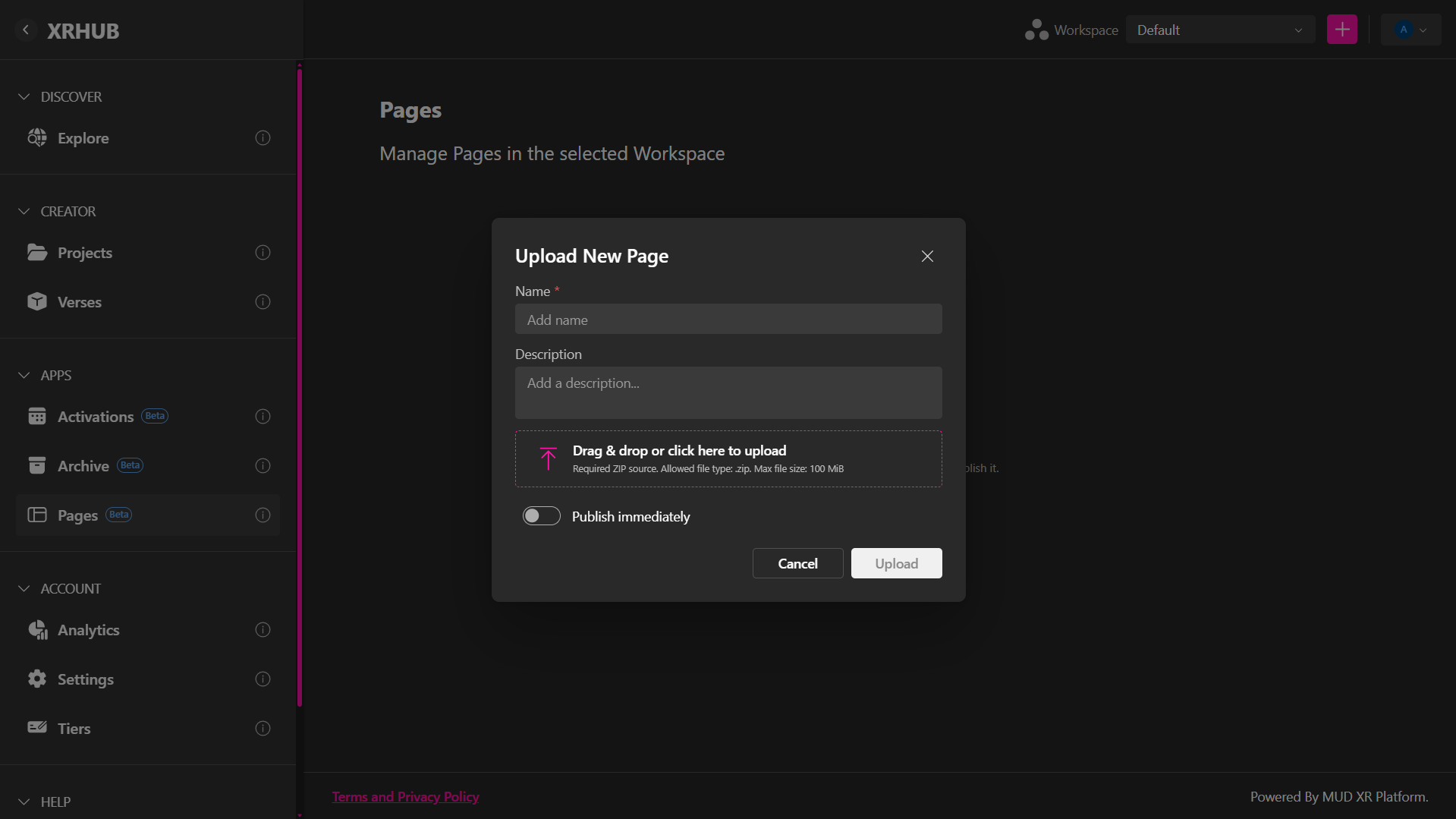
- Enter a Name for the Page.
- Optionally, enter a Description.
- Upload the Page package by dragging the ZIP file into the upload area or clicking the area to select a file.
- Optionally, enable Publish immediately if the Page should become available as soon as the upload is complete.
- Click Upload.
XRHub automatically generates the Page's route after it is created.
Upload Fields
| Field | Description |
|---|---|
| Name | Identifies the Page in the Pages dashboard. |
| Description | Optional description of the Page or its purpose. |
| ZIP File | Contains the HTML and supporting assets required by the Page. |
| Publish immediately | Publishes the Page automatically after a successful upload. Leave this disabled to create the Page as a draft. |
ZIP File Requirements
The uploaded website must be provided as a ZIP source file.
- Allowed file type:
.zip - Maximum file size: 100 MiB
- The package should contain the files required for the Page to run, including its HTML and any CSS, JavaScript, images, fonts, or other assets.
For example:
index.html
/css
/js
/images
/fonts